Already Using QuickBooks Just for Estimates and Invoices?
Many contractors open QuickBooks primarily to build estimates and send invoices - without touching payroll, bank feeds, or the accounting side. QuoteNovo is a Windows desktop tool built specifically for that estimate-to-invoice workflow, at $265 once with no monthly fee.
$265 one-time • 3 licenses included • Windows only
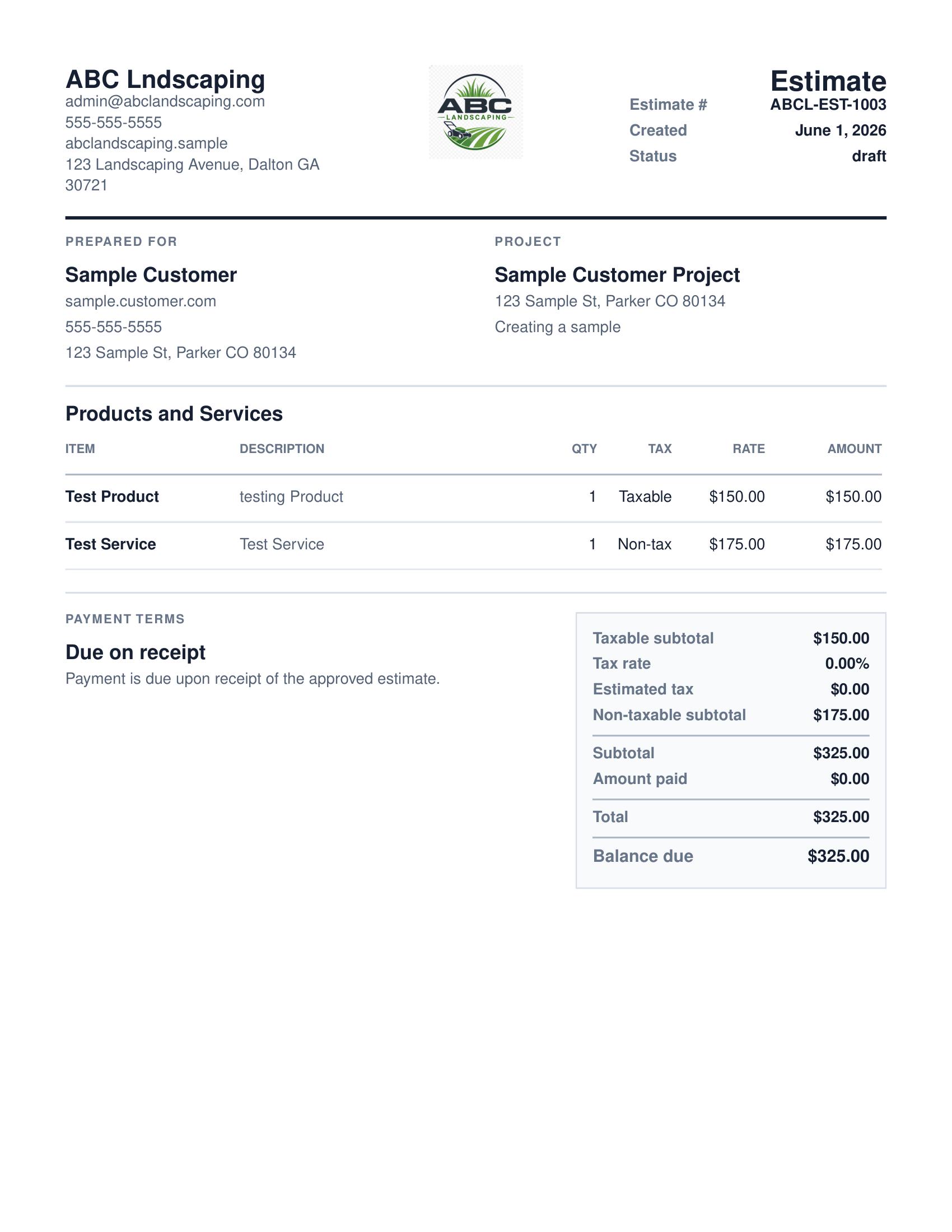
What your client receives
QuoteNovo helps contractors turn estimate details into a clean, customer-facing PDF proposal with line items, pricing, project information, and totals.
- Business name, logo, and contact details on every PDF
- Client name and project information
- Line-item breakdown with quantities, pricing, and tax
- Subtotals and grand total calculated in-app
- Download directly from QuoteNovo — no extra software needed
QuoteNovo does not integrate with QuickBooks. It is separate Windows desktop software — not a QuickBooks plugin, not a QuickBooks add-on, and not connected to QuickBooks in any way. If a contractor mainly uses QuickBooks to create estimates, send invoices, and generate client-facing PDF documents — without using payroll, bank feeds, or full bookkeeping — QuoteNovo may be a simpler fit for that specific workflow. QuoteNovo is built for the estimate-to-invoice cycle: build a detailed line-item estimate, generate a PDF proposal for the client, convert the approved estimate to an invoice, and track payment. It costs $265 as a one-time purchase with 3 licenses included and requires no monthly subscription. QuoteNovo does not include payroll, bank feeds, tax filing, expense tracking, or bank reconciliation — it is not a full accounting replacement for QuickBooks.
Contractors who open QuickBooks mainly to build estimates, send PDF proposals to clients, and convert those estimates to invoices are using a small corner of an accounting platform designed for payroll processing, bank reconciliation, expense tracking, and tax reporting. Those full-accounting features are genuinely valuable for businesses with complex financial operations - but for a contractor whose primary workflow is estimate, PDF, invoice, and payment tracking, the accounting depth becomes navigation overhead and monthly cost that the workflow alone does not justify. QuoteNovo is a Windows desktop estimating and invoicing application that handles exactly this cycle. It does not include payroll, bank feeds, or accounting - if your business needs those, QuickBooks remains the right tool for that side. But if your QuickBooks use is primarily to quote and bill clients, a dedicated estimate-to-invoice application may cover that need at a lower and fixed cost.
What it costs to use QuickBooks mainly for estimates and invoices
- Paying a monthly QuickBooks subscription primarily to create estimates and send invoices means paying for a full accounting platform you may only use a fraction of
- QuickBooks estimate and invoice features are embedded inside a broader accounting interface - you navigate past payroll, bank feed setup, and reports to reach the tools you actually use
- Monthly QuickBooks fees continue during slow seasons and off-seasons, even when estimate and invoice volume drops
- Contractors who handle their own bookkeeping in a spreadsheet and only use QuickBooks to quote and bill clients may be carrying more software cost than the workflow requires
How QuoteNovo covers the estimate-to-invoice workflow specifically
- Built entirely around the estimate-to-invoice workflow - no accounting modules, no bank connections, no payroll setup in the way
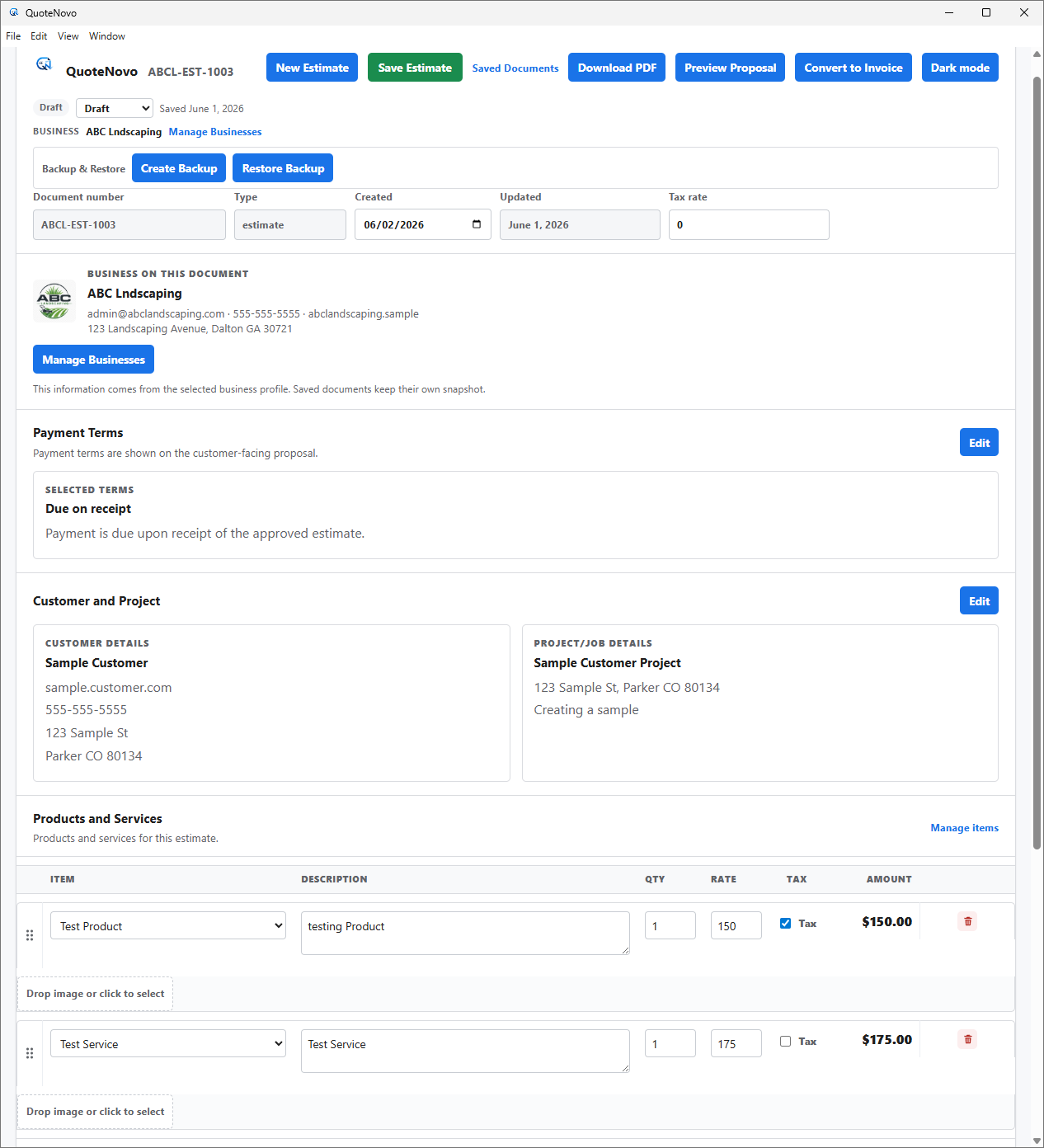
- Professional PDF proposals generated directly from estimates - the main client-facing output most contractors use QuickBooks for
- Convert approved estimates to invoices with one step - all line items carry over, no re-entry
- One-time $265 instead of a monthly subscription that continues regardless of how busy the business is
- Local Windows desktop software - your estimates and invoices stay on your computer, no cloud account needed
What QuoteNovo includes
Every feature listed below is part of the $265 one-time purchase.
QuoteNovo vs QuickBooks
A direct look at what changes — and what you would need to handle separately — if you shift your estimate and invoice workflow to QuoteNovo.
| Feature | QuoteNovo | QuickBooks |
|---|---|---|
| Estimate Workflow | Yes — built for contractors | Yes — included in accounting platform |
| Invoice Workflow | Yes — estimate-to-invoice conversion | Yes — included |
| PDF Proposals | Yes — primary output | Limited |
| Payroll | No | Yes (add-on) |
| Bank Feeds / Reconciliation | No | Yes — core feature |
| Expense Tracking | No | Yes |
| Tax Filing Support | No | Yes (add-on) |
| Pricing Model | $265 one-time | $30-$100+/month |
| Platform | Windows desktop — works offline | Cloud — requires internet |
| Best Fit | Contractors who mainly use QuickBooks for estimates and invoices | Businesses that need full accounting and payroll |
Example use case
A residential painting contractor used QuickBooks Online for two years at $42 per month - primarily to build estimates and invoice clients. He had no payroll and handled his own books in a spreadsheet. He calculated that over two years he had paid over $1,000 for software he used mainly as an estimating tool. He bought QuoteNovo for $265 for the estimate and invoice workflow and now uses a simple spreadsheet for his own bookkeeping. His software cost for year two was zero.
When you should keep QuickBooks instead
QuoteNovo is not full accounting software. It does not include payroll, bank feeds, tax filing, bank reconciliation, or deep bookkeeping reports. Businesses that need those capabilities should use QuickBooks or dedicated accounting software alongside or instead of QuoteNovo.
QuoteNovo is not the right fit if you need:
- Contractors who genuinely need payroll, bank feeds, tax tools, and expense tracking - QuickBooks is better for that
- Businesses with an accountant or bookkeeper who requires access to books, P&L, and balance sheets
- Operations that need cloud access or mobile invoicing
Stop paying monthly for software you could own
$265 one-time purchase • 3 licenses included • Windows only • No subscription
Complete a Demo and Get 10% Off QuoteNovo
Submit your info and we'll contact you to schedule a short QuoteNovo product demo. After you complete the demo, you'll receive a purchase link with 10% off your lifetime license.
- Short, focused product walkthrough
- See estimates, invoices, and PDF workflows firsthand
- Ask questions before you buy
- 10% discount link sent after the completed demo
Frequently Asked Questions
Have a question not answered here? admin@quotenovo.com